3 scripts
Glorify Cronus Zen Scripts
Glorify is attached to 3 scripts here, in NBA 2K26.
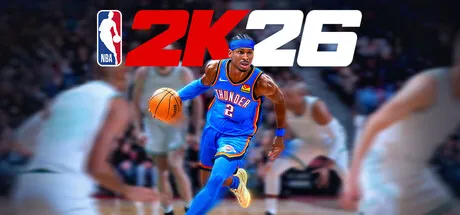 NBA 2K26
- Jump At It V3
Jump At It V3 names Auto Green, Defense Boost, Dribbling, and Insta Shot. Jump At It V3 names Auto Green for NBA 2K26, which is Auto Green is a shot-button hold in NBA 2K26 aimed at the green window, which the script repeats and does not watch. On Jump At It V3 that control is a hold, a tempo, or a release on the shot button while NBA 2K26 plays the jumper. Jump At It V3 names Defense Boost for NBA 2K26, which is Defense Boost moves the left stick, the right stick, or both while you contest in NBA 2K26. On Jump At It V3 that control is stick movement while you are on defense in NBA 2K26.
- Jump At It V4
Jump At It V4 names Auto Green, Defense Boost, Dribbling, and Insta Shot. Jump At It V4 names Auto Green for NBA 2K26, which is Auto Green is a shot-button hold in NBA 2K26 aimed at the green window, which the script repeats and does not watch. On Jump At It V4 that control is a hold, a tempo, or a release on the shot button while NBA 2K26 plays the jumper. Jump At It V4 names Defense Boost for NBA 2K26, which is Defense Boost moves the left stick, the right stick, or both while you contest in NBA 2K26. On Jump At It V4 that control is stick movement while you are on defense in NBA 2K26.
- Jump At It V5
Jump At It V5 names Auto Tempo, Dribbling, Insta Shot, and Quick Stop. Jump At It V5 names Auto Tempo for NBA 2K26, which is Auto Tempo is a two-beat press on the shot button in NBA 2K26, not a single hold. On Jump At It V5 that control is a hold, a tempo, or a release on the shot button while NBA 2K26 plays the jumper. Jump At It V5 names Dribbling for NBA 2K26, which is Dribbling is its own named switch on this NBA 2K26 file, which means the author wanted it turned on separately from the other modes. On Jump At It V5 that control is controller input NBA 2K26 already understands, switched from the Zen menu.