NBA 2K27 · Excellent
Excellent V2 – NBA 2K27 Cronus Zen Script
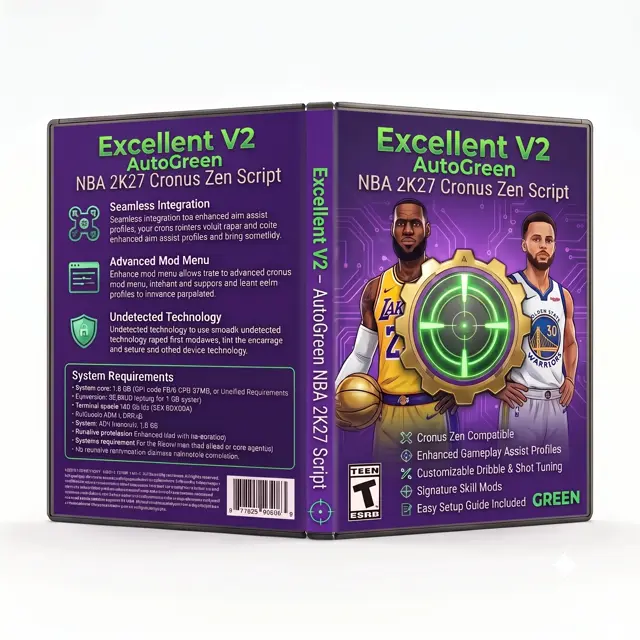
Excellent V2 (NBA 2K27) is Excellent's NBA 2K27 Cronus Zen script, and the menu reads as mostly a shooting script.
Excellent V2 (NBA 2K27) names Advanced Defense, Auto Green, AutoGreen, Catch Shot, Excellent, Fade Timing, Kill Switch, No-Dip Shot, OLED Menu, Shot Timing, and Standstill Shot.
CzenScripts shows Excellent V2 (NBA 2K27) at $29.99, which is the listing's figure as of 20 Nov 2026, and the page does not add a discount code.
Excellent is the brand on the CzenScripts listing checked for Excellent V2 (NBA 2K27) on 20 Nov 2026, and the shop is only the source.
Excellent V2 (NBA 2K27) does not name PS5, Xbox, or PC, so this page does not guess a console.
Excellent V2 (NBA 2K27) does not state an update policy, a support channel, or a refund rule.
2K can restrict adapters, which is the backdrop for Excellent V2 (NBA 2K27), and no timing value on Excellent V2 (NBA 2K27) makes an account untouchable.
Excellent V2 (NBA 2K27) loads on PS5 with the controller in the Zen's A1 port, the console cable in the rear socket, and the PROG cable connected only while the slot is written.
Xbox Series does not use the PS5 bypass for Excellent V2 (NBA 2K27): the Zen sits between an Xbox pad and the console, and PROG comes out before you play.
On PC, Excellent V2 (NBA 2K27) uses the Zen's PC output rather than a console cable, and the device should not sit behind a USB hub.
The pad for Excellent V2 (NBA 2K27) is the one you already use in NBA 2K27: DualSense on PS5, an Xbox pad on Xbox Series, and either of those on PC.
Excellent V2 (NBA 2K27) does not name a third-party controller, so this page does not invent one.
Firmware and the memory slot are different jobs for Excellent V2 (NBA 2K27): the blue button on the top port is firmware, and Zen Studio is what writes Excellent V2 (NBA 2K27) into a slot.
A Zen has eight memory slots, and Excellent V2 (NBA 2K27) takes one of them until you overwrite that slot.
Zen Studio for Excellent V2 (NBA 2K27) is the browser app from Collective Minds, used in Chrome or Edge.
Unplug PROG only after the slot save finishes, or Excellent V2 (NBA 2K27) will not be on the device when you move it to NBA 2K27.
PS5 manual bypass is its own Cronus step and is separate from loading Excellent V2 (NBA 2K27), while Xbox Series never asks for that bypass.
If an update policy is stated for Excellent V2 (NBA 2K27), that wording is the whole promise, and a shop timestamp is not a patch note.
Support and a refund for Excellent V2 (NBA 2K27) count only when the source writes them down, and a missing line is not a hidden warranty.
Excellent V2 (NBA 2K27) does not change the NBA 2K27 install on the console, because a Zen script only adds controller inputs the game already accepts.
The button layout inside NBA 2K27 still has to match what Excellent V2 (NBA 2K27) expects, or the menu labels point at the wrong buttons.
The first session with Excellent V2 (NBA 2K27) belongs in a private match or a menu, where you can see which named control actually moved.
If one control on Excellent V2 (NBA 2K27) feels wrong, check the NBA 2K27 button layout before you load a second copy of the file.
Nothing about Excellent V2 (NBA 2K27) changes how a Zen is wired, so you program the slot on a computer and then move the device to the console.
Excellent V2 (NBA 2K27) on NBA 2K27: 4.84 ★ from 25 reviews on CzenScripts (checked Nov 21 2026).
What do the named controls do?
The controls below are the ones Excellent V2 (NBA 2K27) actually names, and each note is what that name means in NBA 2K27.
Advanced Defense
Advanced Defense is its own line on Excellent V2 (NBA 2K27), next to Auto Green, AutoGreen, Catch Shot.
For Excellent V2 (NBA 2K27), Advanced Defense means Advanced Defense moves the left stick, the right stick, or both while you contest in NBA 2K27.
Excellent V2 (NBA 2K27) sends Advanced Defense as stick movement while you are on defense in NBA 2K27.
Excellent V2 (NBA 2K27) keeps Advanced Defense off the Auto Green switch, so the two are not one mode with two labels.
Excellent V2 (NBA 2K27) has to live with the NBA 2K27 meter when it runs Advanced Defense: the hold can be repeated, and the window is still the game's.
The public listing for Excellent V2 (NBA 2K27) does not print a stick value or a millisecond for Advanced Defense, so the number you use is one you set after the file is loaded.
AutoGreen is also on Excellent V2 (NBA 2K27), and it is a different job from Advanced Defense: AutoGreen is a shot-button hold in NBA 2K27 aimed at the green window, which the script repeats and does not watch.
Auto Green
Excellent V2 (NBA 2K27) lists Auto Green beside Advanced Defense, AutoGreen, Catch Shot.
Read Auto Green on Excellent V2 (NBA 2K27) as Auto Green is a shot-button hold in NBA 2K27 aimed at the green window, which the script repeats and does not watch.
Excellent V2 (NBA 2K27) sends Auto Green as a hold, a tempo, or a release on the shot button while NBA 2K27 plays the jumper.
Turning Auto Green off on Excellent V2 (NBA 2K27) should leave Advanced Defense alone, because the author gave them separate names.
Excellent V2 (NBA 2K27) has to live with the NBA 2K27 meter when it runs Auto Green: the hold can be repeated, and the window is still the game's.
The public listing for Excellent V2 (NBA 2K27) does not print a stick value or a millisecond for Auto Green, so the number you use is one you set after the file is loaded.
AutoGreen is also on Excellent V2 (NBA 2K27), and it is a different job from Auto Green: AutoGreen is a shot-button hold in NBA 2K27 aimed at the green window, which the script repeats and does not watch.
AutoGreen
AutoGreen is its own line on Excellent V2 (NBA 2K27), next to Advanced Defense, Auto Green, Catch Shot.
Read AutoGreen on Excellent V2 (NBA 2K27) as AutoGreen is a shot-button hold in NBA 2K27 aimed at the green window, which the script repeats and does not watch.
Excellent V2 (NBA 2K27) sends AutoGreen as a hold, a tempo, or a release on the shot button while NBA 2K27 plays the jumper.
Excellent V2 (NBA 2K27) keeps AutoGreen off the Advanced Defense switch, so the two are not one mode with two labels.
Excellent V2 (NBA 2K27) has to live with the NBA 2K27 meter when it runs AutoGreen: the hold can be repeated, and the window is still the game's.
Nothing on the Excellent V2 (NBA 2K27) listing measures AutoGreen, so the name is the claim and the feel is something you check yourself.
Auto Green is also on Excellent V2 (NBA 2K27), and it is a different job from AutoGreen: Auto Green is a shot-button hold in NBA 2K27 aimed at the green window, which the script repeats and does not watch.
Catch Shot
Excellent V2 (NBA 2K27) lists Catch Shot beside Advanced Defense, Auto Green, AutoGreen.
Read Catch Shot on Excellent V2 (NBA 2K27) as Catch Shot is the early or set-shot release in NBA 2K27, the one you use when the gather is already done.
Excellent V2 (NBA 2K27) sends Catch Shot as a hold, a tempo, or a release on the shot button while NBA 2K27 plays the jumper.
Excellent V2 (NBA 2K27) keeps Catch Shot off the Advanced Defense switch, so the two are not one mode with two labels.
Excellent V2 (NBA 2K27) has to live with the NBA 2K27 meter when it runs Catch Shot: the hold can be repeated, and the window is still the game's.
Nothing on the Excellent V2 (NBA 2K27) listing measures Catch Shot, so the name is the claim and the feel is something you check yourself.
Auto Green is also on Excellent V2 (NBA 2K27), and it is a different job from Catch Shot: Auto Green is a shot-button hold in NBA 2K27 aimed at the green window, which the script repeats and does not watch.
Excellent
Excellent is its own line on Excellent V2 (NBA 2K27), next to Advanced Defense, Auto Green, AutoGreen.
Read Excellent on Excellent V2 (NBA 2K27) as Excellent is its own named switch on this NBA 2K27 file, which means the author wanted it turned on separately from the other modes.
Excellent V2 (NBA 2K27) sends Excellent as controller input NBA 2K27 already understands, switched from the Zen menu.
Turning Excellent off on Excellent V2 (NBA 2K27) should leave Advanced Defense alone, because the author gave them separate names.
Excellent V2 (NBA 2K27) has to live with the NBA 2K27 meter when it runs Excellent: the hold can be repeated, and the window is still the game's.
Nothing on the Excellent V2 (NBA 2K27) listing measures Excellent, so the name is the claim and the feel is something you check yourself.
Auto Green is also on Excellent V2 (NBA 2K27), and it is a different job from Excellent: Auto Green is a shot-button hold in NBA 2K27 aimed at the green window, which the script repeats and does not watch.
Fade Timing
On Excellent V2 (NBA 2K27), Fade Timing is not a rename of Advanced Defense, and it sits with Advanced Defense, Auto Green, AutoGreen.
Read Fade Timing on Excellent V2 (NBA 2K27) as Fade Timing is a named shot type in NBA 2K27, with its own release, separate from a standstill jumper.
Excellent V2 (NBA 2K27) sends Fade Timing as a hold, a tempo, or a release on the shot button while NBA 2K27 plays the jumper.
Excellent V2 (NBA 2K27) keeps Fade Timing off the Advanced Defense switch, so the two are not one mode with two labels.
Excellent V2 (NBA 2K27) has to live with the NBA 2K27 meter when it runs Fade Timing: the hold can be repeated, and the window is still the game's.
The public listing for Excellent V2 (NBA 2K27) does not print a stick value or a millisecond for Fade Timing, so the number you use is one you set after the file is loaded.
Auto Green is also on Excellent V2 (NBA 2K27), and it is a different job from Fade Timing: Auto Green is a shot-button hold in NBA 2K27 aimed at the green window, which the script repeats and does not watch.
Kill Switch
Kill Switch is its own line on Excellent V2 (NBA 2K27), next to Advanced Defense, Auto Green, AutoGreen.
Read Kill Switch on Excellent V2 (NBA 2K27) as Kill Switch is the off switch on the file, one button back to plain controller inputs in NBA 2K27.
Excellent V2 (NBA 2K27) sends Kill Switch as a menu or a modifier on the Zen, not a shot in NBA 2K27.
Turning Kill Switch off on Excellent V2 (NBA 2K27) should leave Advanced Defense alone, because the author gave them separate names.
Excellent V2 (NBA 2K27) has to live with the NBA 2K27 meter when it runs Kill Switch: the hold can be repeated, and the window is still the game's.
Nothing on the Excellent V2 (NBA 2K27) listing measures Kill Switch, so the name is the claim and the feel is something you check yourself.
Auto Green is also on Excellent V2 (NBA 2K27), and it is a different job from Kill Switch: Auto Green is a shot-button hold in NBA 2K27 aimed at the green window, which the script repeats and does not watch.
No-Dip Shot
On Excellent V2 (NBA 2K27), No-Dip Shot is not a rename of Advanced Defense, and it sits with Advanced Defense, Auto Green, AutoGreen.
Read No-Dip Shot on Excellent V2 (NBA 2K27) as No-Dip Shot times a jumper in NBA 2K27 that skips the dip before the release, a different hold from a normal shot.
Excellent V2 (NBA 2K27) sends No-Dip Shot as a hold, a tempo, or a release on the shot button while NBA 2K27 plays the jumper.
Turning No-Dip Shot off on Excellent V2 (NBA 2K27) should leave Advanced Defense alone, because the author gave them separate names.
Excellent V2 (NBA 2K27) has to live with the NBA 2K27 meter when it runs No-Dip Shot: the hold can be repeated, and the window is still the game's.
The public listing for Excellent V2 (NBA 2K27) does not print a stick value or a millisecond for No-Dip Shot, so the number you use is one you set after the file is loaded.
Auto Green is also on Excellent V2 (NBA 2K27), and it is a different job from No-Dip Shot: Auto Green is a shot-button hold in NBA 2K27 aimed at the green window, which the script repeats and does not watch.
OLED Menu
On Excellent V2 (NBA 2K27), OLED Menu is not a rename of Advanced Defense, and it sits with Advanced Defense, Auto Green, AutoGreen.
For Excellent V2 (NBA 2K27), OLED Menu means OLED Menu is how you drive the file from the Zen screen or from a saved slot in NBA 2K27, not a shot by itself.
Excellent V2 (NBA 2K27) sends OLED Menu as a menu or a modifier on the Zen, not a shot in NBA 2K27.
Excellent V2 (NBA 2K27) keeps OLED Menu off the Advanced Defense switch, so the two are not one mode with two labels.
Excellent V2 (NBA 2K27) has to live with the NBA 2K27 meter when it runs OLED Menu: the hold can be repeated, and the window is still the game's.
The public listing for Excellent V2 (NBA 2K27) does not print a stick value or a millisecond for OLED Menu, so the number you use is one you set after the file is loaded.
Auto Green is also on Excellent V2 (NBA 2K27), and it is a different job from OLED Menu: Auto Green is a shot-button hold in NBA 2K27 aimed at the green window, which the script repeats and does not watch.
Shot Timing
On Excellent V2 (NBA 2K27), Shot Timing is not a rename of Advanced Defense, and it sits with Advanced Defense, Auto Green, AutoGreen.
Excellent V2 (NBA 2K27) treats Shot Timing as Shot Timing is a shot-button hold in NBA 2K27 aimed at the green window, which the script repeats and does not watch.
Excellent V2 (NBA 2K27) sends Shot Timing as a hold, a tempo, or a release on the shot button while NBA 2K27 plays the jumper.
Excellent V2 (NBA 2K27) keeps Shot Timing off the Advanced Defense switch, so the two are not one mode with two labels.
Excellent V2 (NBA 2K27) has to live with the NBA 2K27 meter when it runs Shot Timing: the hold can be repeated, and the window is still the game's.
Nothing on the Excellent V2 (NBA 2K27) listing measures Shot Timing, so the name is the claim and the feel is something you check yourself.
Auto Green is also on Excellent V2 (NBA 2K27), and it is a different job from Shot Timing: Auto Green is a shot-button hold in NBA 2K27 aimed at the green window, which the script repeats and does not watch.
Standstill Shot
Standstill Shot is its own line on Excellent V2 (NBA 2K27), next to Advanced Defense, Auto Green, AutoGreen.
Excellent V2 (NBA 2K27) treats Standstill Shot as Standstill Shot is its own named switch on this NBA 2K27 file, which means the author wanted it turned on separately from the other modes.
Excellent V2 (NBA 2K27) sends Standstill Shot as a hold, a tempo, or a release on the shot button while NBA 2K27 plays the jumper.
Advanced Defense stays a different control from Standstill Shot on Excellent V2 (NBA 2K27), which is why both names are on the listing.
Excellent V2 (NBA 2K27) has to live with the NBA 2K27 meter when it runs Standstill Shot: the hold can be repeated, and the window is still the game's.
The public listing for Excellent V2 (NBA 2K27) does not print a stick value or a millisecond for Standstill Shot, so the number you use is one you set after the file is loaded.
Auto Green is also on Excellent V2 (NBA 2K27), and it is a different job from Standstill Shot: Auto Green is a shot-button hold in NBA 2K27 aimed at the green window, which the script repeats and does not watch.
How to flash a .gpc · PS5 · Xbox · PC
Questions
Who makes Excellent V2 (NBA 2K27)?
Excellent makes Excellent V2 (NBA 2K27), and the CzenScripts page is only the listing that was read.
What game is Excellent V2 (NBA 2K27) filed under?
Excellent V2 (NBA 2K27) is filed under NBA 2K27, and the menu is mostly a shooting script.
What price does the listing show for Excellent V2 (NBA 2K27)?
Excellent V2 listing on CzenScripts shows Excellent V2 (NBA 2K27) at $29.99, checked 20 Nov 2026.
How do you load Excellent V2 (NBA 2K27) on PS5, Xbox, and PC?
Load Excellent V2 (NBA 2K27) from Zen Studio into a memory slot, unplug PROG, and use a DualSense on PS5, an Xbox pad on Xbox Series, or either pad on PC.